
Keyboard shortcuts
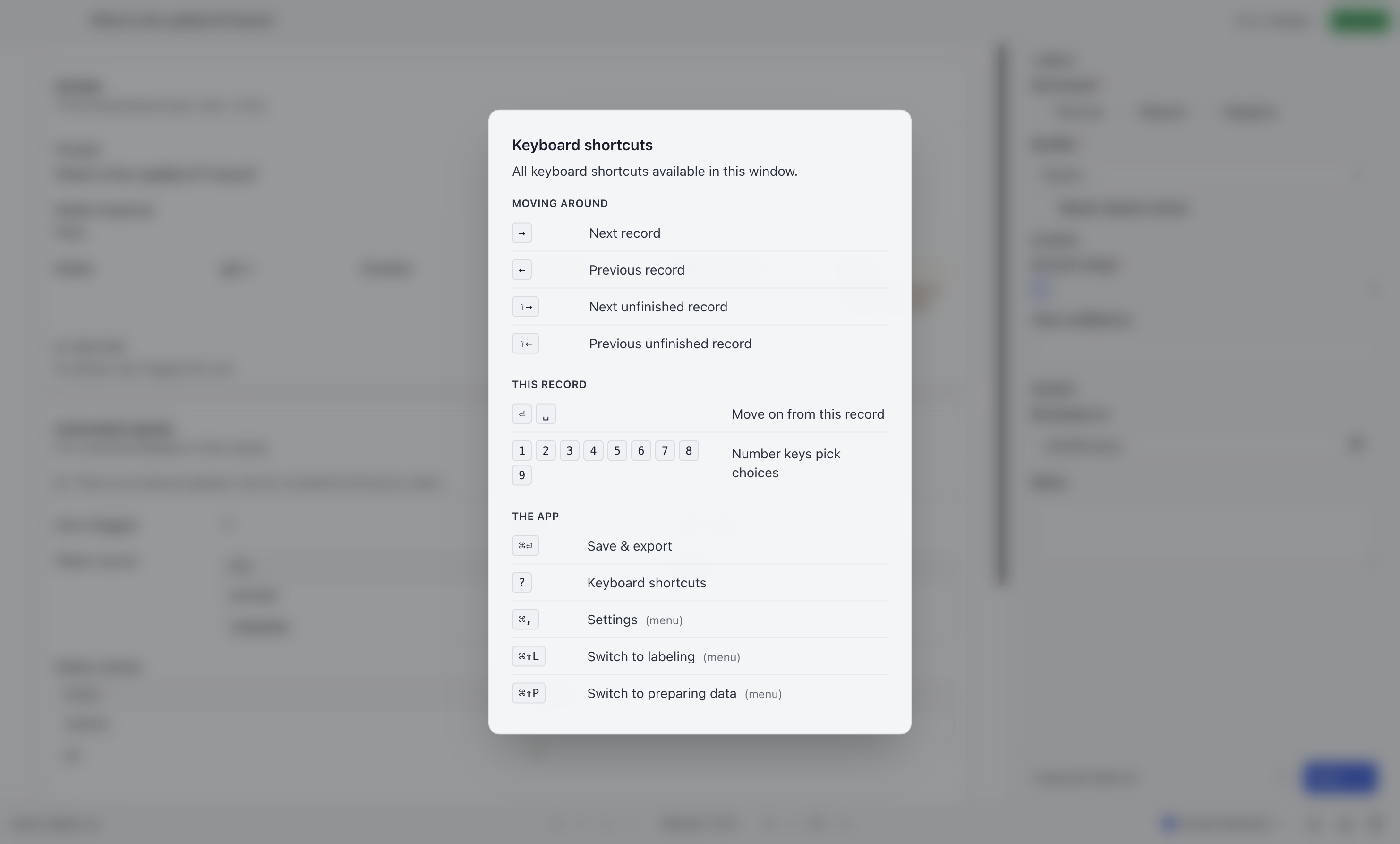
Press ? outside a text-entry control to see the current shortcuts. You can also use the help button in the bottom bar. The list includes project bindings and your saved overrides.
Default shortcuts
Section titled “Default shortcuts”| Keys | Action |
|---|---|
| ← → | Previous / next record |
| ⇧+← / ⇧+→ | Previous / next unfinished record |
| Enter / Space | Next record |
| 1–9 | Pick the nth choice |
| ⌘/Ctrl+Enter | Save & export |
| ⌘/Ctrl+⇧+L | Switch to Label mode |
| ⌘/Ctrl+⇧+P | Switch to Prepare mode |
| ⌘/Ctrl+, | Settings |
| ? | Toggle this list |
⌘ on macOS, Ctrl everywhere else.
Number keys
Section titled “Number keys”1 through 9 pick the nth option of a choice field — the focused one, or the first choice field on the form if nothing is focused. For a form whose main question is a three-way rating, this is the whole interaction: press a digit, press Enter, repeat.
Shortcuts your config adds
Section titled “Shortcuts your config adds”A config can attach a chord to a field (moves focus to it) or to an individual choice (selects it directly). Both appear in the ? dialog automatically, so you can check the active binding without opening the configuration file.
Choice chords fire app-wide, not only while their own field has focus. That is what makes them worth having — you can press c for “correct” without first tabbing to the right field. It is also why every chord in a config has to be unique across the whole file.
Changing any of them
Section titled “Changing any of them”Editable application shortcuts and project bindings can be changed in Settings → Keys (⌘/Ctrl+,). Click a key cap, press the keystroke you want, and it is saved.
Native menu shortcuts and number-key choice selection are fixed. The pane marks bindings that cannot be changed. For editable bindings:
- A chord the system owns is refused. ⌘+V stays Paste.
- A chord another action already claims is refused, with the clash named — each editable shortcut must be unambiguous.
- An override replaces the default rather than adding to it. Rebinding “next record” to N means → no longer moves.
Rebindings of the app’s own shortcuts are global. Rebindings of chords your
config declares are remembered per config, because two projects may each
have a verdict field meaning quite different things.
The ? dialog and the hints beside choices and buttons all read the same resolved list, so they show your keys rather than the defaults.
Why a letter sometimes does nothing
Section titled “Why a letter sometimes does nothing”A bare letter chord is held back while you are typing: in a text box, a textarea, or a dropdown’s search field. Otherwise a chord on c would make the letter “c” impossible to type in your notes.
Shortcuts using ⌘, Ctrl, or Alt can remain active in a text field. Shift alone does not make a letter shortcut safe while typing.
Radio groups and sliders are a deliberate middle ground: they consume arrow keys, not letters, so bare chords keep working while one of them has focus.
Modal dialogs take over
Section titled “Modal dialogs take over”While a dialog is open — the resume prompt, this shortcuts list — it owns the keyboard entirely. No shortcut reaches the form behind it.
Reserved chords
Section titled “Reserved chords”A config may not claim a chord the app or the operating system already owns:
⌘/Ctrl+ Z X C V A Q W M H R Enter, plus ⌘/Ctrl+⇧+L and ⌘/Ctrl+⇧+P.
Trying to use one is a config error rather than a silent override — otherwise a config could take Paste away from the notes box with nothing on screen to explain it. See Shortcuts.