
Value types
A field’s type defines what its values mean: text, numbers, dates, choices, or structured data. Choose the type that matches your source data or the answer you need.
See what these fields look like →
Each type has its own settings. For example, text supports minLength; numbers support min.
The same nine types are used on both sides of the config, and nest inside each other.
The nine
Section titled “The nine”| Type | Holds | Own keys |
|---|---|---|
text |
A string | minLength, maxLength, pattern |
integer |
A whole number | min, max, step |
number |
A number, whole or fractional | min, max, step |
boolean |
true / false | — |
date |
A date | — |
enum |
One of a fixed set | choices |
object |
A record with named members | fields, table |
array |
A list | items |
map |
A dictionary | keys, values |
Scalars
Section titled “Scalars”{ "name": "title", "type": "text", "minLength": 1, "maxLength": 200 },{ "name": "email", "type": "text", "pattern": "^[^@\\s]+@[^@\\s]+$" },{ "name": "rating", "type": "integer", "min": 1, "max": 5, "step": 1 },{ "name": "score", "type": "number", "min": 0, "max": 1, "step": 0.01 },{ "name": "flagged", "type": "boolean" },{ "name": "created", "type": "date" },pattern is a JavaScript regular expression. It is compiled when the config loads, so a
malformed one is a config error rather than a surprise at render time.


{ "name": "sentiment", "type": "enum", "choices": [ { "name": "positive", "display": "Positive", "shortcut": "p" }, { "name": "neutral", "display": "Neutral" }, { "name": "negative", "display": "Negative", "selectedStyle": { "tone": "danger" } }, ],}A choice’s name is the literal string written to the file; display.title is only
what the labeler sees. Choice names are trimmed and cannot be empty — an empty choice would
read back as no value at all, making it both unselectable and impossible to round-trip.
See Shortcuts for shortcut, and Display for
selectedStyle.


// A list of strings — renders as chips.{ "name": "tags", "type": "array", "items": { "type": "text" } },
// A multi-select — an array of enum is the only way to declare one.{  "name": "issues",  "type": "array",  "items": {    "type": "enum",    "choices": [{ "name": "toxic" }, { "name": "off-topic" }, { "name": "unhelpful" }],  },},
Use an array of enum for checkboxes that allow several answers. Selected values are written in declaration order, not click
order, so the exported cell is stable however the labeler arrived at it.
object
Section titled “object”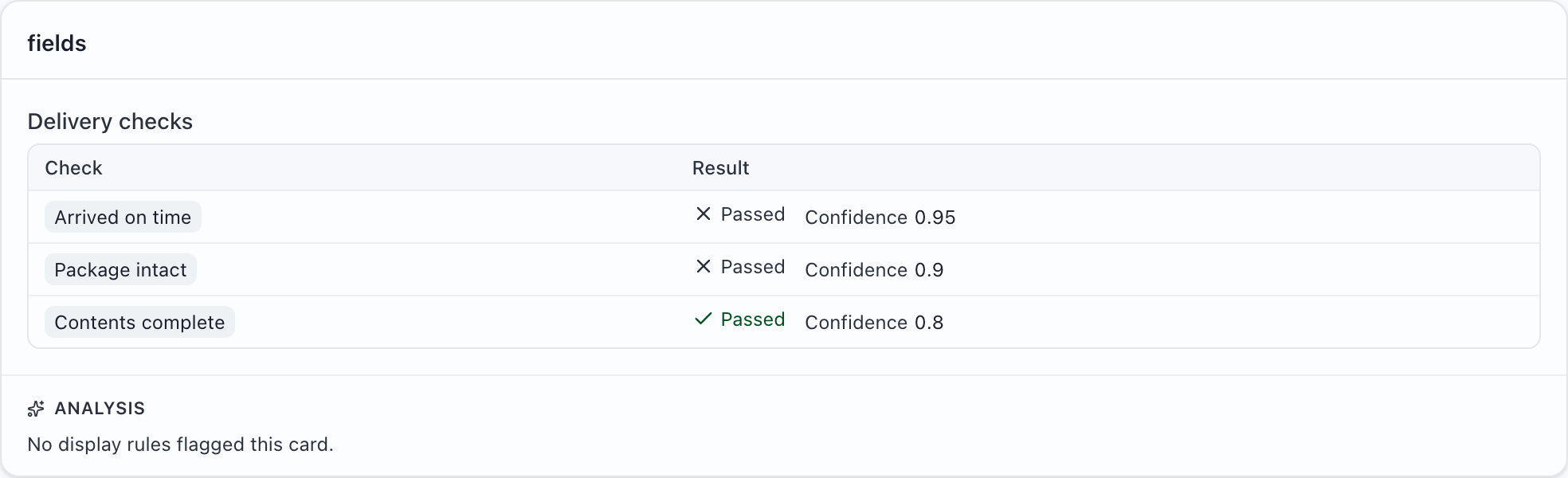
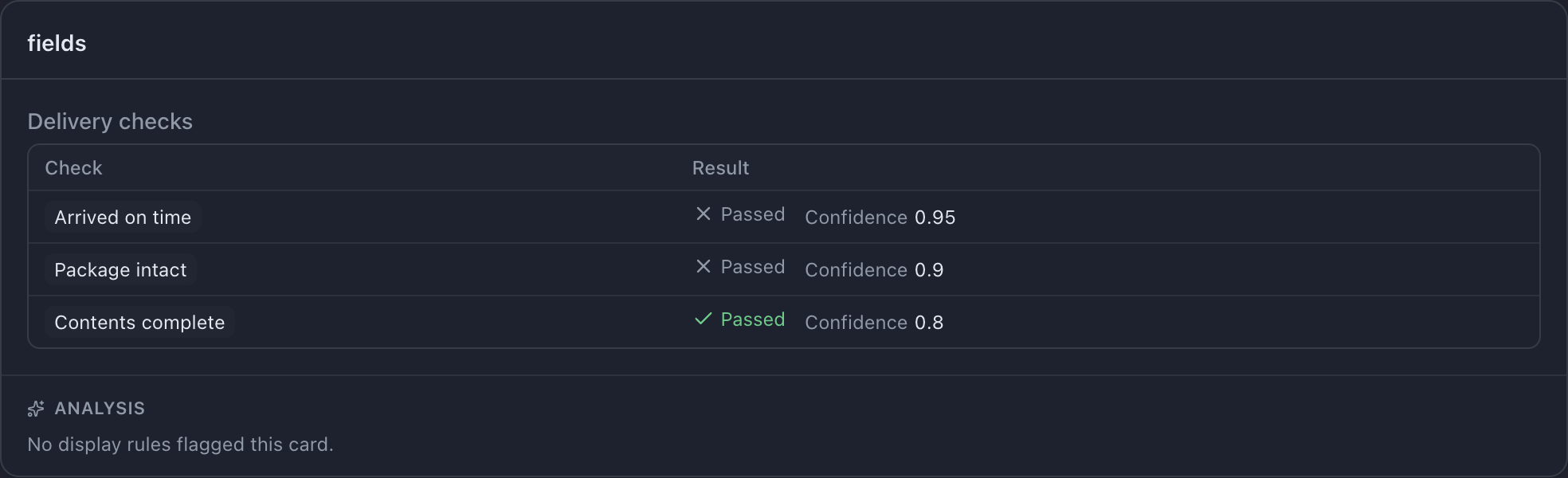
{ "name": "checks", "type": "array", "items": { "type": "object", "fields": [ { "name": "name", "type": "text", "display": "Check" }, { "name": "passed", "type": "boolean", "display": "Passed" }, ], },},An array of object renders as a table, one row per element. object.table controls how
its members group into displayed columns — see TableView.
Names inside an object are JSON keys from your source payload, not column headers, so
they are deliberately unconstrained: colons, slashes and unicode are all fine.
{ "name": "tokenCounts", "type": "map", "values": { "type": "integer" } },
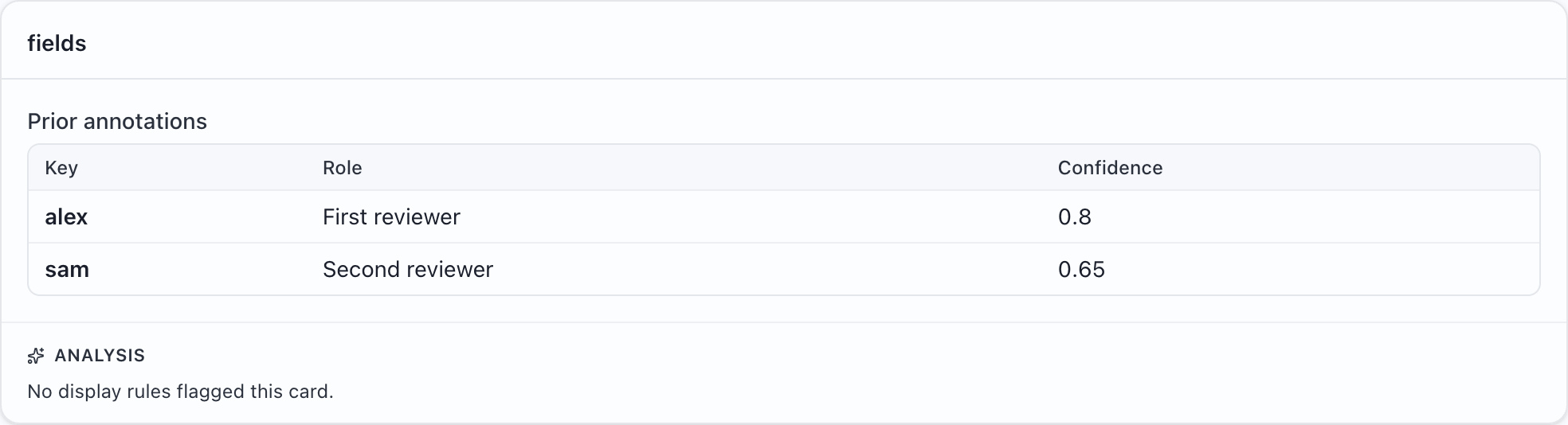
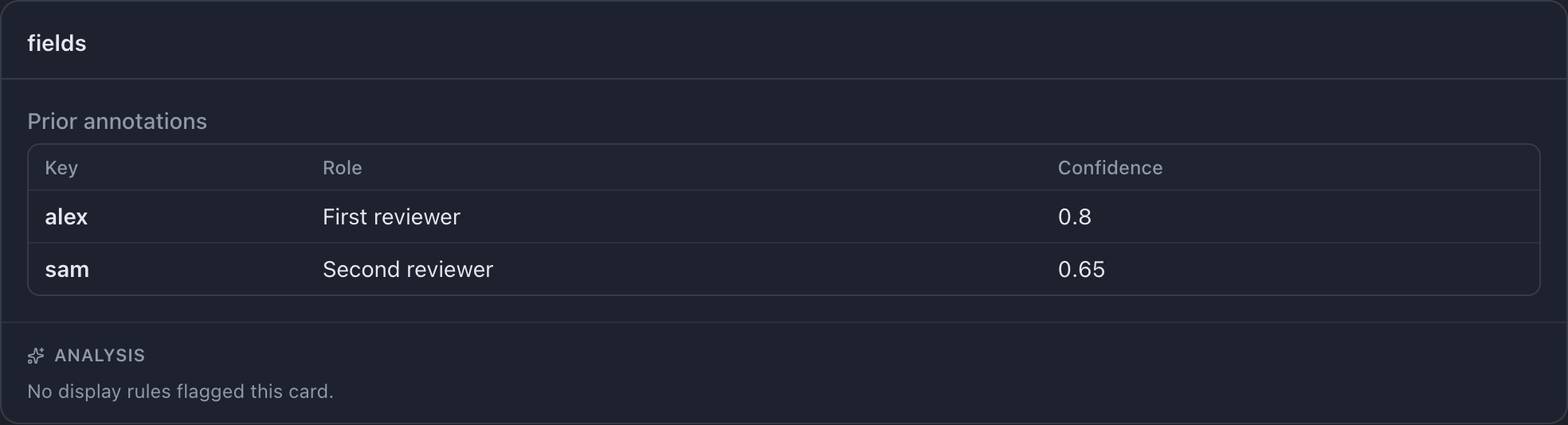
{  "name": "annotators",  "type": "map",  "values": {    "type": "object",    "fields": [      { "name": "role",       "type": "text" },      { "name": "confidence", "type": "number" },    ],  },},
keys defaults to text and is rarely worth stating. A map of object renders as a table
keyed by its entries.
object
Section titled “object”and map are display-only
Objects and maps have no answer controls. To include them in output, use a matching
copy field:
{ "name": "meta", "type": "object", "fields": [ /* … */ ] }// ✗ "object" fields cannot be filled by a user; give the field a `fill`.
{ "name": "meta", "type": "object", "fields": [ /* … */ ], "fill": { "kind": "copy" } }// ✓
How raw values become typed ones
Section titled “How raw values become typed ones”How source cells are read covers empty values, conversion failures, and the accepted formats.
Use ISO dates such as 2026-10-09 to avoid month/day ambiguity. Date formats and UTC display →
Lists that are not JSON
Section titled “Lists that are not JSON”Structured data uses JSON inside a cell. Scalar lists also accept several fallback formats. List parsing and CSV examples →