
Flag values that need attention
Help a reviewer notice when an inspection score falls below the required score.
What the labeler sees
Section titled “What the labeler sees”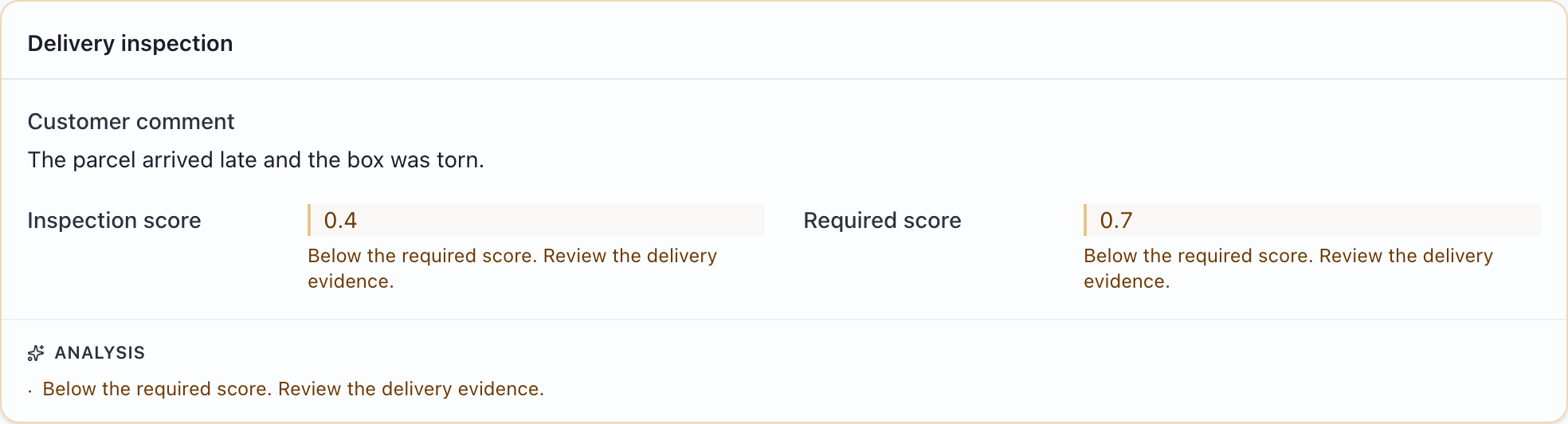
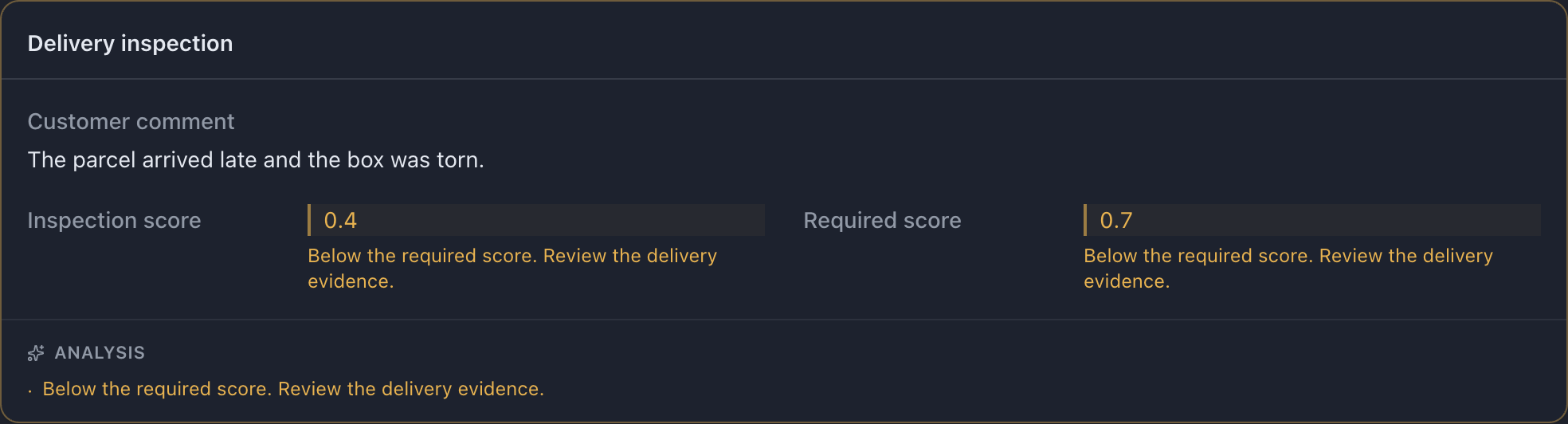
Try this example: download the complete configuration and sample CSV. Open the configuration in MLabel, then load the CSV.
View the complete configuration
{ "$schema": "https://mlabel.vlad.gg/mlabel.schema.json", "version": 2, "network": { "updateChecks": false, }, "input": { "fields": [ { "name": "id", "type": "text", "display": "Record ID", }, { "name": "comment", "type": "text", "display": { "title": "Customer comment", "titlePosition": "above", }, }, { "name": "score", "type": "number", "display": "Inspection score", }, { "name": "threshold", "type": "number", "display": "Required score", }, ], "cards": [ { "name": "inspection", "display": "Delivery inspection", "rows": [ { "use": ["comment"], }, { "perRow": 2, "use": ["score", "threshold"], }, ], }, ], "rules": [ { "name": "below-threshold", "when": { "op": "lt", "field": "score", "otherField": "threshold", }, "appliesTo": ["score", "threshold"], "appliesToCards": ["inspection"], "style": { "tone": "warning", "note": "Below the required score. Review the delivery evidence.", }, }, ], }, "output": { "fields": [ { "name": "id", "type": "text", "fill": { "kind": "copy", }, }, { "name": "verdict", "type": "enum", "widget": "radio", "display": "Review decision", "choices": [ { "name": "pass", "display": "Pass", }, { "name": "fail", "display": "Fail", }, ], }, ], },}View the sample CSV
id,comment,score,thresholdr001,The parcel arrived late and the box was torn.,0.4,0.7Configure it
Section titled “Configure it”Add this rule to input.rules. when compares score with threshold from the same record. appliesTo highlights both values so the comparison is easy to read.
appliesToCards also adds the explanation to the named card’s Analysis footer. Use the card’s name, not its display title. Remove appliesToCards if a field-level note is enough.
The relevant setting is in input.rules. The download above includes the surrounding configuration.
[ { "name": "below-threshold", "when": { "op": "lt", "field": "score", "otherField": "threshold", }, "appliesTo": ["score", "threshold"], "appliesToCards": ["inspection"], "style": { "tone": "warning", "note": "Below the required score. Review the delivery evidence.", }, },]Try it and check the result
Section titled “Try it and check the result”The sample score is 0.4 and the threshold is 0.7, so the rule fires. In a fresh copy of the sample CSV, change the score to 0.8 and reload it: the warning should disappear.
A rule does not choose the review decision or change an exported value. A warning is a reading aid; the labeler still applies your project guidelines.