
Plan the labeling task
Start with the decision you need from each record and the file you want at the end. Write a short definition of each label, including difficult cases, before building the form.
Start from the output
Section titled “Start from the output”List the output columns and who provides each value.
| Example column | Source | Configuration |
|---|---|---|
| Record ID | Original input | fill: { "kind": "copy" } |
| Sentiment or decision | Labeler, per record | fill: { "kind": "user" } (default) |
| Labeler name | Answered once per run | fill: { "kind": "session" } |
| Completion time | App | fill: { "kind": "timestamp" } |
Copy a stable identifier into the output so you can match labels to source records later.
Output columns are written in the order they appear in output.fields.
Choosing types
Section titled “Choosing types”Use an enum for a fixed vocabulary, an integer for a whole-number rating, and an
array of enum for multiple selections. Use free text when an explanation is the answer,
not when you need one consistent category name.
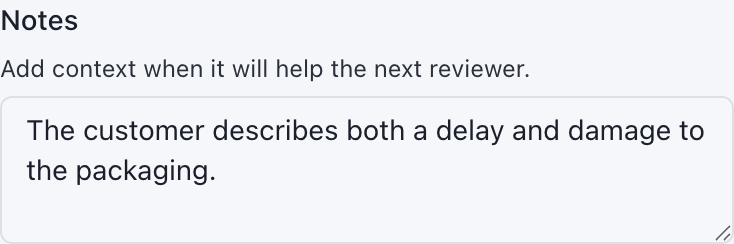
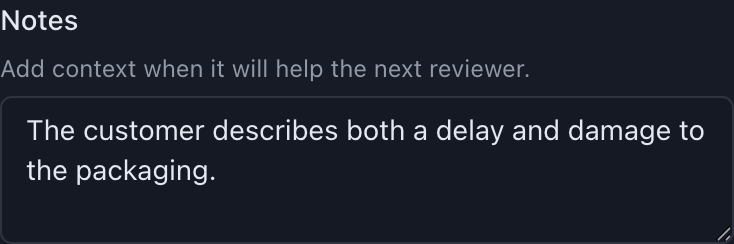
Compare field types and their actual controls →
Decide which answers are required
Section titled “Decide which answers are required”User and session fields are required by default. Make a field optional with
"required": false when an empty answer is acceptable, such as an extra notes box.
A supplied answer still has to pass validation even when its field is optional.
A record with a missing required answer or invalid supplied value goes to the remaining file. That file preserves source data, not partial labels. Test this behavior before asking labelers to export unfinished work.
Session versus per-record
Section titled “Session versus per-record”Ask once for values that apply to the entire run: labeler name, guideline version, or batch identifier. Ask per record for judgments that can change from one item to the next. Session answers appear on each finished output row. When using explicit output cards, place these questions in a card with session scope.
Designing for speed
Section titled “Designing for speed”- Put the information needed for the decision near the primary question.
- Prefer radio buttons for a short choice list so all answers are visible.
- Use short captions and an always-visible description for the main instruction.
- Put longer definitions and edge cases in
help. - Keep the form short enough to avoid repeated scrolling where possible.
Do not rely on color alone to convey a rule. Add a note explaining what the labeler should notice. Display rules highlight information; they do not change answers or exports.
Budgeting shortcuts
Section titled “Budgeting shortcuts”Digits select choices without extra configuration. For common decisions, add memorable choice shortcuts and check that they do not conflict with one another. Labelers can customize editable bindings in Settings; the configuration supplies their defaults.
Guidance belongs beside the question
Section titled “Guidance belongs beside the question”
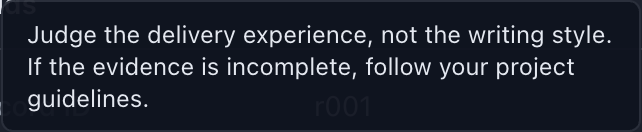
"display": { "title": "Is the statement supported?", "description": "Judge only factual support in the supplied text.", "help": "Choose Unclear when the supplied text does not contain enough evidence. Do not use writing style as evidence."}Keep a separate guideline document when the project needs broader policy or examples. Use field help to bring the relevant part of those instructions into the labeling form.
Pilot before you commit
Section titled “Pilot before you commit”- Validate the configuration in the app or with the repository’s
pnpm validatecommand. - Label about 20 representative records, including empty values and difficult cases.
- Check how required, optional, copied, and session fields behave.
- Export and inspect column order, IDs, choice spellings, dates, and remaining records.
- Ask a second person to follow the instructions without coaching. Revise unclear wording.
- Repeat the checks after a configuration change.
Changing a config mid-project
Section titled “Changing a config mid-project”Save a new configuration version and coordinate with the preparer before distributing it. Even adding an optional field changes the output headers and can prevent old and new files from joining. Required-field changes can alter completeness; renamed or retyped fields can change the meaning of saved answers.
Saved sessions are associated with file paths, not a configuration content hash. Do not edit a configuration in place while someone is using its saved session. Finish or agree on a recovery plan first, then distribute the new configuration as a separate version.