
Set up and administer a project
As an administrator, you decide what labelers read, what they answer, and what the finished
dataset contains. You describe those decisions in a .jsonc configuration file. A schema
is simply the definition of those fields: their names, value types, and rules.
Choose what labelers will see
Section titled “Choose what labelers will see”Start with the question you need answered. These are actual MLabel controls; each link shows the configuration that creates it.
One answer


Use radio buttons for a short list of choices.
Several answers


Use checkboxes when more than one option can apply.
A rating


Use a slider for a score with a defined range.
An explanation
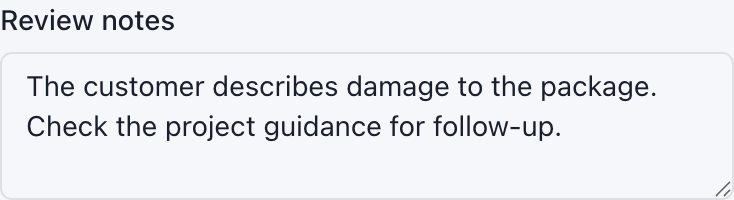
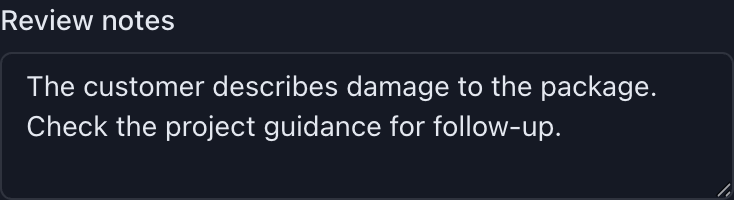
Use a text area for notes and longer answers.
See all controls, their settings, and validation states →
Start from a working example
Section titled “Start from a working example”The illustrated cookbook pairs every recipe with screenshots, a downloadable configuration, and sample data. Choose a recipe for multiple answers, reviewer details, source tables, warning rules, or another common task.
Build your first project
Section titled “Build your first project”Create a small working project →
The tutorial includes a complete configuration and sample CSV. You will copy a record ID, ask for a decision, add optional notes, and check the export.
Design and launch
Section titled “Design and launch”- Plan the output: define what each column means and which answers are required.
- Choose field types and controls: see what labelers will actually use.
- Add clear captions and help and arrange fields into cards.
- Validate the configuration, then pilot it on representative records.
- Distribute the app and configuration and hand the data to a preparer.
Look up a configuration setting
Section titled “Look up a configuration setting”| Question | Guide |
|---|---|
| What belongs in a configuration file? | Configuration structure |
| Which values can a field hold? | Value types |
| Where does an output value come from? | Copy, session, user, and timestamp fields |
| How do I highlight information for a labeler? | Display rules |
| How do project shortcuts work? | Configuration shortcuts |
| How do I disable update traffic? | Network policy |
| What does this validation error mean? | Error reference |
| What are all the allowed keys? | Generated schema reference |
Use a new configuration filename when changing a live project’s schema, and keep outputs from different versions separate until you have checked compatibility.