
Highlight source information
A display rule points out source information that deserves attention. It can tint a value, add a note, or annotate a whole card. It does not select an answer or change an exported value.
Start with a visible comparison
Section titled “Start with a visible comparison”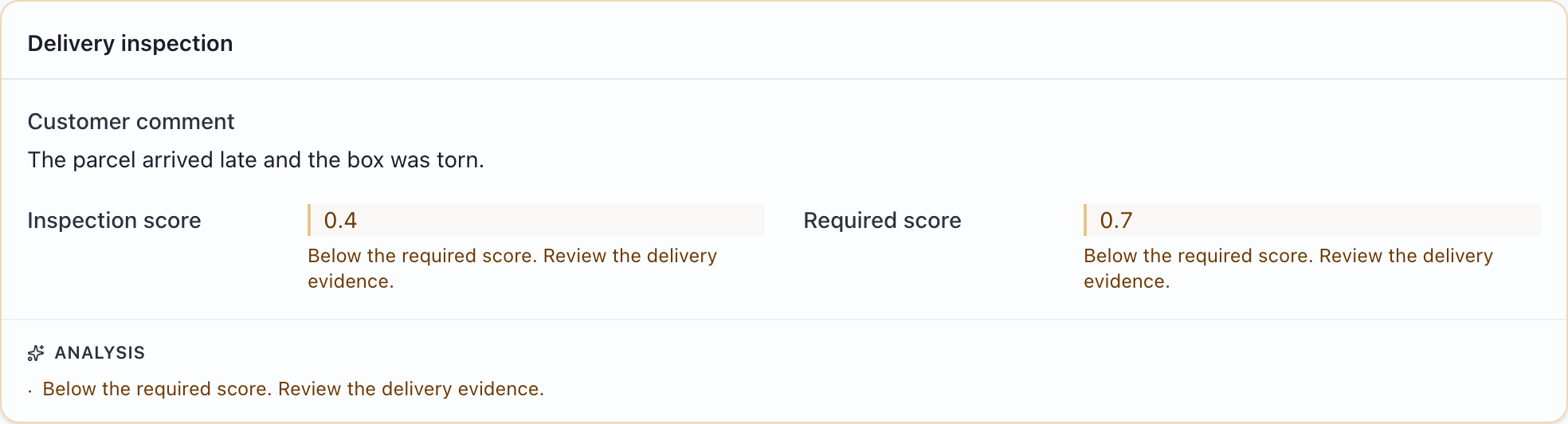
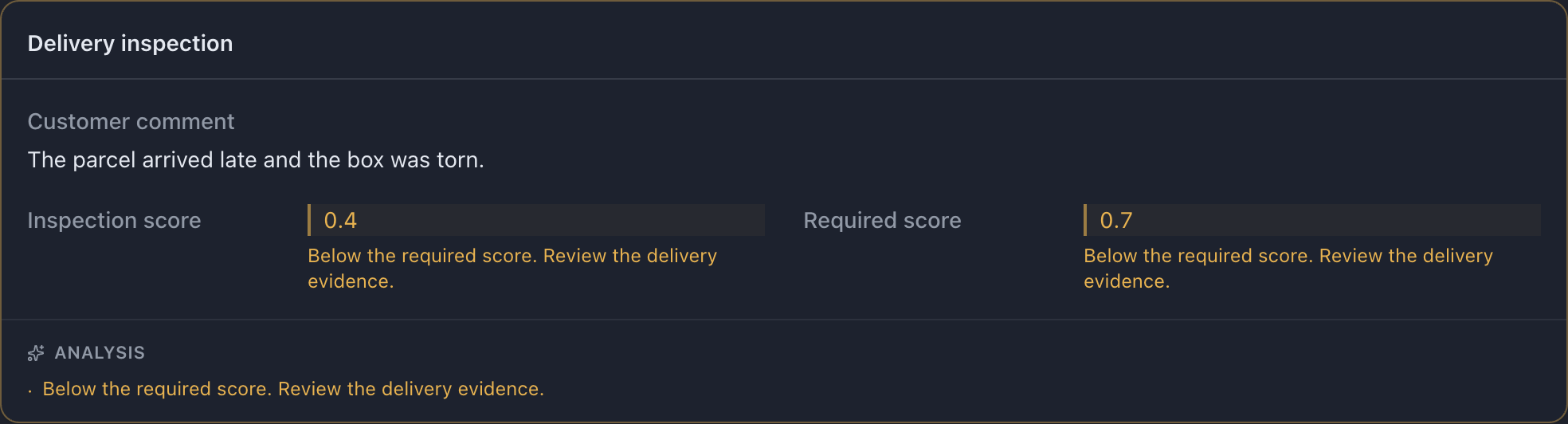
The example adds this to input.rules:
[ { "name": "below-threshold", "when": { "op": "lt", "field": "score", "otherField": "threshold", }, "appliesTo": ["score", "threshold"], "appliesToCards": ["inspection"], "style": { "tone": "warning", "note": "Below the required score. Review the delivery evidence.", }, },]Download the complete example and try the non-matching case →
The keys
Section titled “The keys”| Setting | What to put there |
|---|---|
name |
An identifier for the rule. Choose a distinct, descriptive name. |
when |
A condition over the current record’s input values. |
appliesTo |
Input fields to highlight. Without explicit targets, the tested fields are used. |
appliesToCards |
Input card names to annotate. A card target replaces default field targeting. |
forEach |
An input list to evaluate one item at a time. |
style |
A tone, an explanatory note, or both. |
Rules read input values, not the labeler’s answers. Conditions and operators →
Annotating a whole card
Section titled “Annotating a whole card”Use appliesToCards when an explanation concerns a group. The note appears in the card’s Analysis footer. The highlighted comparison above uses both field and card targets; remove one when repeating the note would distract.
A card target uses name, not the displayed heading. Card names and field names are separate.
Per-item rules
Section titled “Per-item rules”Use forEach when only certain list entries deserve a warning:


[ { "name": "long-delay", "forEach": "delays", "when": { "op": "gt", "field": "delays", "value": 2, }, "style": { "tone": "warning", "note": "More than two days late.", }, },]Try this example: download the complete configuration and sample CSV. Open the configuration in MLabel, then load the CSV.
View the complete configuration
{ "$schema": "https://mlabel.vlad.gg/mlabel.schema.json", "version": 2, "network": { "updateChecks": false, }, "input": { "fields": [ { "name": "delays", "type": "array", "items": { "type": "integer", }, "display": { "title": "Delivery delays (days)", "titlePosition": "above", }, }, ], "rules": [ { "name": "long-delay", "forEach": "delays", "when": { "op": "gt", "field": "delays", "value": 2, }, "style": { "tone": "warning", "note": "More than two days late.", }, }, ], }, "output": { "fields": [ { "name": "verdict", "type": "enum", "widget": "radio", "display": "Review decision", "choices": [ { "name": "pass", "display": "Pass", }, { "name": "fail", "display": "Fail", }, ], }, ], },}View the sample CSV
delays"[0,1,4,0,3]"The sample tests each delays item against 2. A per-item rule cannot also set appliesTo or appliesToCards. Detailed list-rule behavior →
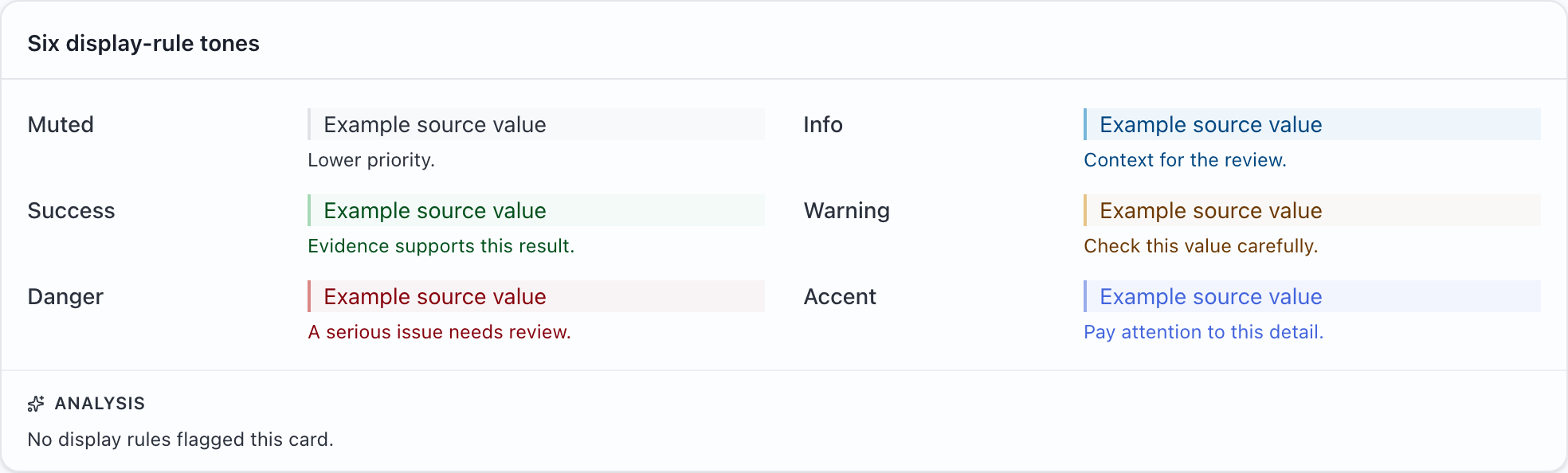
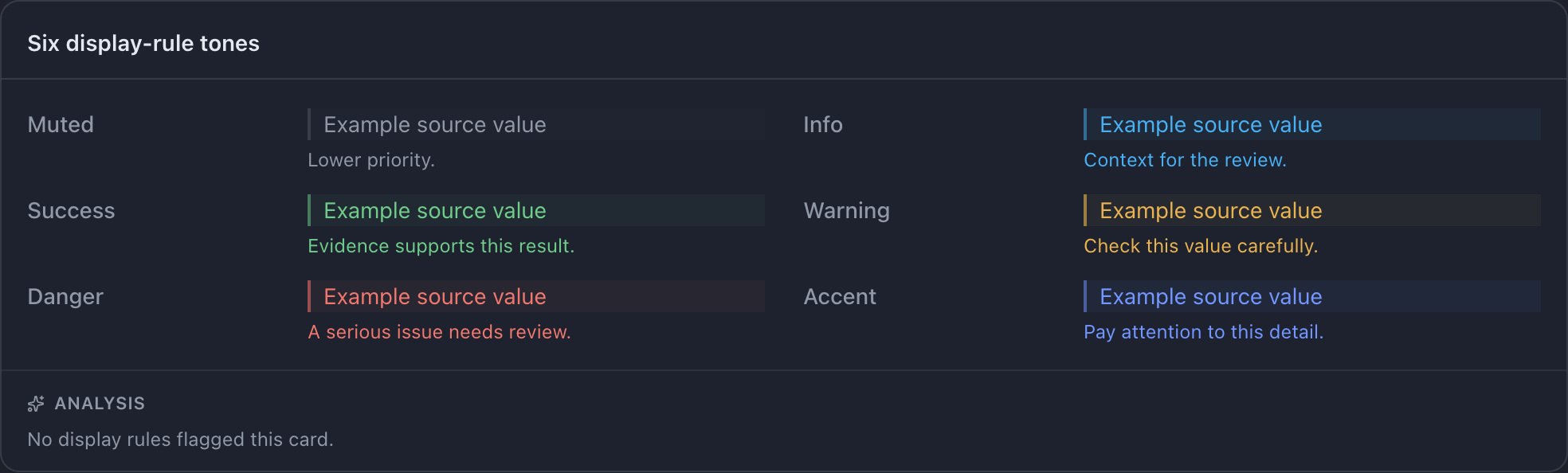
| Tone | Suggested meaning |
|---|---|
muted |
Lower priority |
info |
Useful context |
success |
Supporting evidence |
warning |
Check carefully |
danger |
A serious issue to review |
accent |
Draw attention without suggesting a judgment |
Try this example: download the complete configuration and sample CSV. Open the configuration in MLabel, then load the CSV.
View the complete configuration
{ "$schema": "https://mlabel.vlad.gg/mlabel.schema.json", "version": 2, "network": { "updateChecks": false, }, "input": { "fields": [ { "name": "muted", "type": "text", "display": "Muted", }, { "name": "info", "type": "text", "display": "Info", }, { "name": "success", "type": "text", "display": "Success", }, { "name": "warning", "type": "text", "display": "Warning", }, { "name": "danger", "type": "text", "display": "Danger", }, { "name": "accent", "type": "text", "display": "Accent", }, ], "rules": [ { "name": "muted", "when": { "op": "notEmpty", "field": "muted", }, "style": { "tone": "muted", "note": "Lower priority.", }, }, { "name": "info", "when": { "op": "notEmpty", "field": "info", }, "style": { "tone": "info", "note": "Context for the review.", }, }, { "name": "success", "when": { "op": "notEmpty", "field": "success", }, "style": { "tone": "success", "note": "Evidence supports this result.", }, }, { "name": "warning", "when": { "op": "notEmpty", "field": "warning", }, "style": { "tone": "warning", "note": "Check this value carefully.", }, }, { "name": "danger", "when": { "op": "notEmpty", "field": "danger", }, "style": { "tone": "danger", "note": "A serious issue needs review.", }, }, { "name": "accent", "when": { "op": "notEmpty", "field": "accent", }, "style": { "tone": "accent", "note": "Pay attention to this detail.", }, }, ], "cards": [ { "name": "tones", "display": "Six display-rule tones", "rows": [ { "perRow": 2, "use": ["muted", "info", "success", "warning", "danger", "accent"], }, ], }, ], }, "output": { "fields": [ { "name": "verdict", "type": "enum", "widget": "radio", "display": "Review decision", "choices": [ { "name": "pass", "display": "Pass", }, { "name": "fail", "display": "Fail", }, ], }, ], },}View the sample CSV
muted,info,success,warning,danger,accentExample source value,Example source value,Example source value,Example source value,Example source value,Example source valueSeveral rules on one field
Section titled “Several rules on one field”Rules run in declaration order. The last matching tone wins, but all matching notes remain visible. Prefer a small number of clear notes over many overlapping ones.
Rules are hints, not instructions
Section titled “Rules are hints, not instructions”Write notes such as “Below the required score; review the evidence.” Avoid asserting the labeler’s final judgment. Test both matching and non-matching records before distributing a project.
Missing or incompatible values may cause a condition not to match. Invalid regular expressions are rejected when the config loads. Troubleshoot a configuration.